Easy Bookmark Manager: clean up Chrome bookmarks, find duplicates, and actually use them again
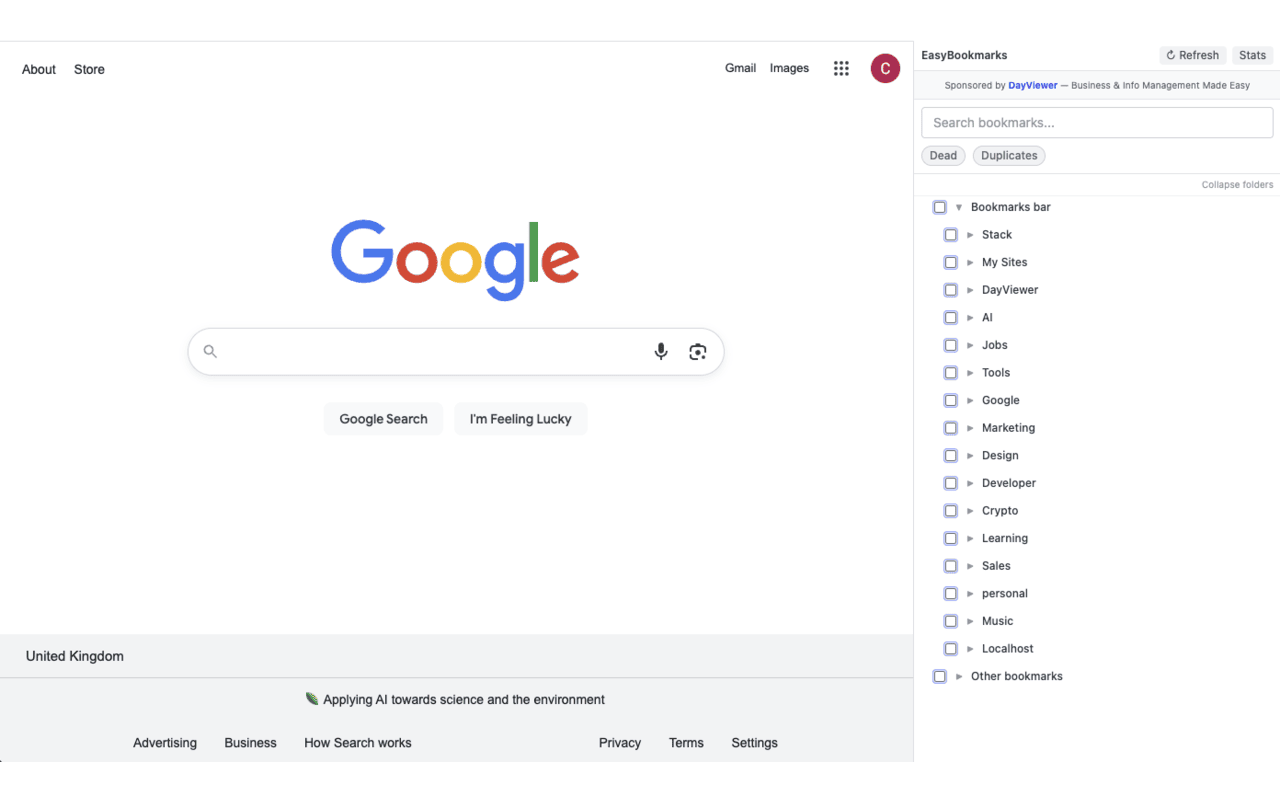
A free Chrome side panel bookmark manager that turns your bookmark graveyard back into a useful library — instant search, drag-and-drop folders, inline edit, bulk actions, undo delete, and a one-click duplicate finder. Works directly on your native Chrome bookmarks.
Who this is for
Built for anyone whose Chrome bookmarks have quietly turned into a graveyard — researchers, students, knowledge workers, marketers, lifelong tab-savers — and for anyone who's tried Chrome's built-in bookmark manager and bounced off the 2008-era UI. If you can't currently find a link you know you saved, this is the extension for you.
What you can use it for
Find a bookmark you saved years ago in two seconds
Real-time search across every bookmark by title or URL. No more scrolling a folder tree hoping the page was somewhere under "Misc."
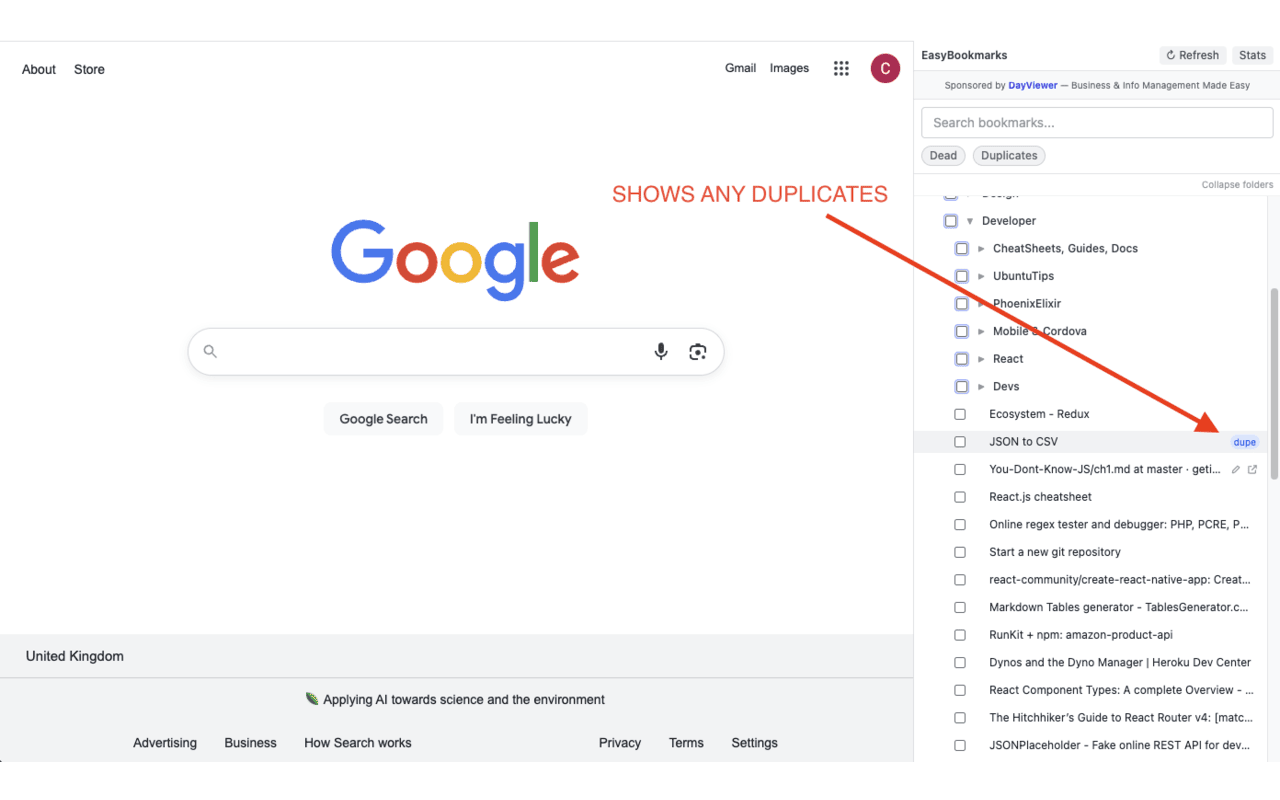
Find and delete duplicate bookmarks
The duplicate finder instantly surfaces every bookmark that points to the same URL — the result of years of "I'll bookmark this in case I lose it." Select them all, hit delete, undo if you change your mind within 5 seconds.
Bulk reorganise without losing your mind
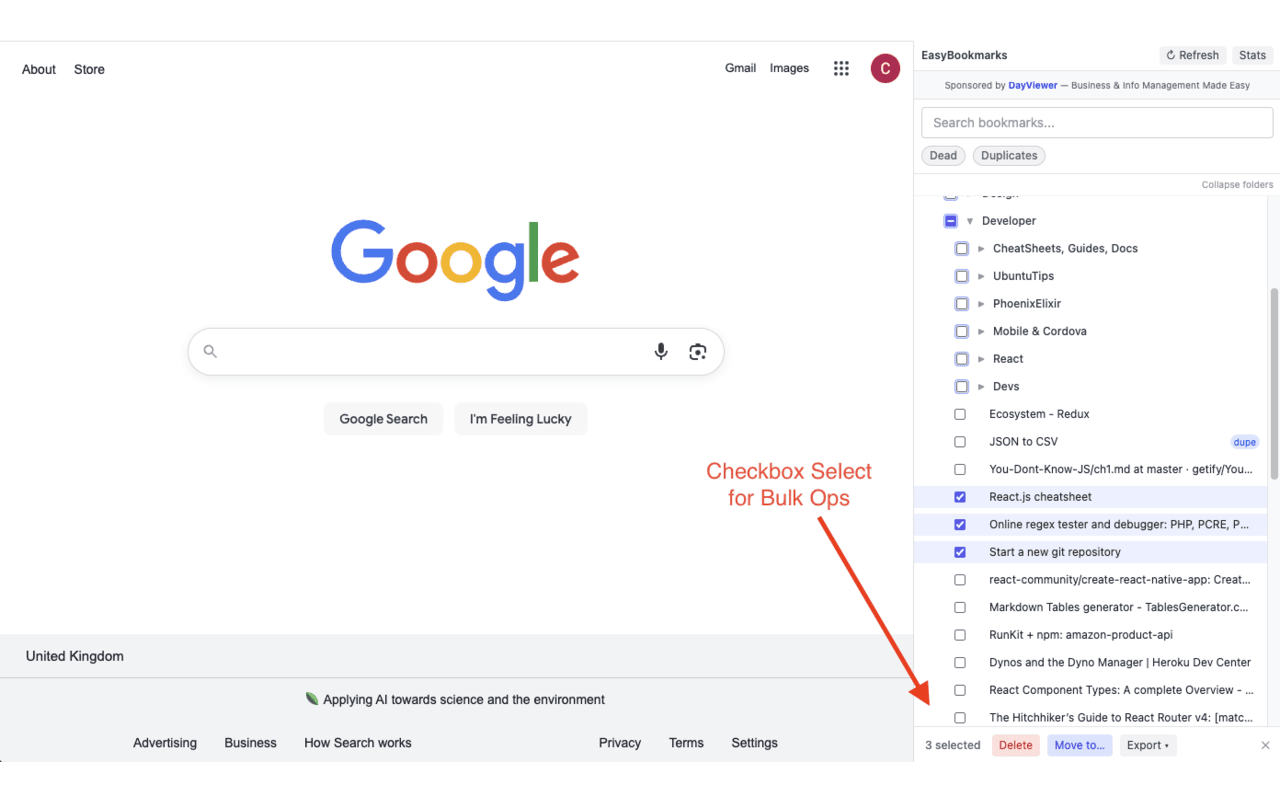
Tick checkboxes to select dozens of bookmarks at once, then move them into a folder, delete them, or export them as JSON or HTML. Especially useful when you're cleaning up after a years-long pile-up.
Tidy the folder tree with drag-and-drop
Drag a bookmark over a closed folder and it opens automatically so you can drop it inside. Create, rename, expand, and collapse folders inline. The interaction is what Chrome's built-in manager wishes it was.
Export your bookmarks
Export the whole library, a folder, or any selection as JSON or HTML — useful for backups, migrating to another browser, or feeding into a personal knowledge tool.
See what's broken
The stats panel surfaces dead links and duplicates so you can clean them up rather than discovering them when you click on one in six months.
Why a side-panel bookmark manager beats the default
- Always one click away — the side panel stays open while you browse, so you can search, click, and keep working.
- Works on native Chrome bookmarks — no parallel database to keep in sync, no migration to do, no lock-in.
- Bulk actions that actually work — checkbox selection across folders means a year's worth of mess can be sorted in an afternoon.
- Undo means you'll actually clean up — most people avoid bookmark cleanup because one wrong delete loses something forever. Five-second undo removes that risk.
Privacy & no-account promise
Easy Bookmark Manager reads and edits your Chrome bookmarks locally on your device. Your bookmarks are never uploaded, copied, or synced through any Cool Easy service. There is no account, no signup, no analytics, and no tracking. The extension simply makes your existing Chrome bookmarks more usable.
FAQ
How do I find duplicate bookmarks in Chrome?
Install Easy Bookmark Manager, open the side panel, and switch on the Duplicates filter. It surfaces every bookmark that points to the same URL — select and bulk delete in one go.
Will this delete or move my real Chrome bookmarks?
Only the changes you make yourself. Easy Bookmark Manager edits Chrome's native bookmark store directly, so a delete here is a delete in Chrome. The 5-second undo is there for when you change your mind.
Can I export my bookmarks?
Yes — export the whole library or a selection as JSON or HTML for backups or migration.
Is it really free?
Yes, free on the Chrome Web Store. Cool Easy is sponsored by DayViewer.
Do I need an account?
No. No account, no signup, no email — install it and open the side panel.